Platforms
Legal AI Services Platform.
A working environment for AI-assisted legal workflows.
AI can help carry legal work through a series of connected steps.
Platform Walkthrough
An overview of the Legal AI Services platform.
00 · Platforms
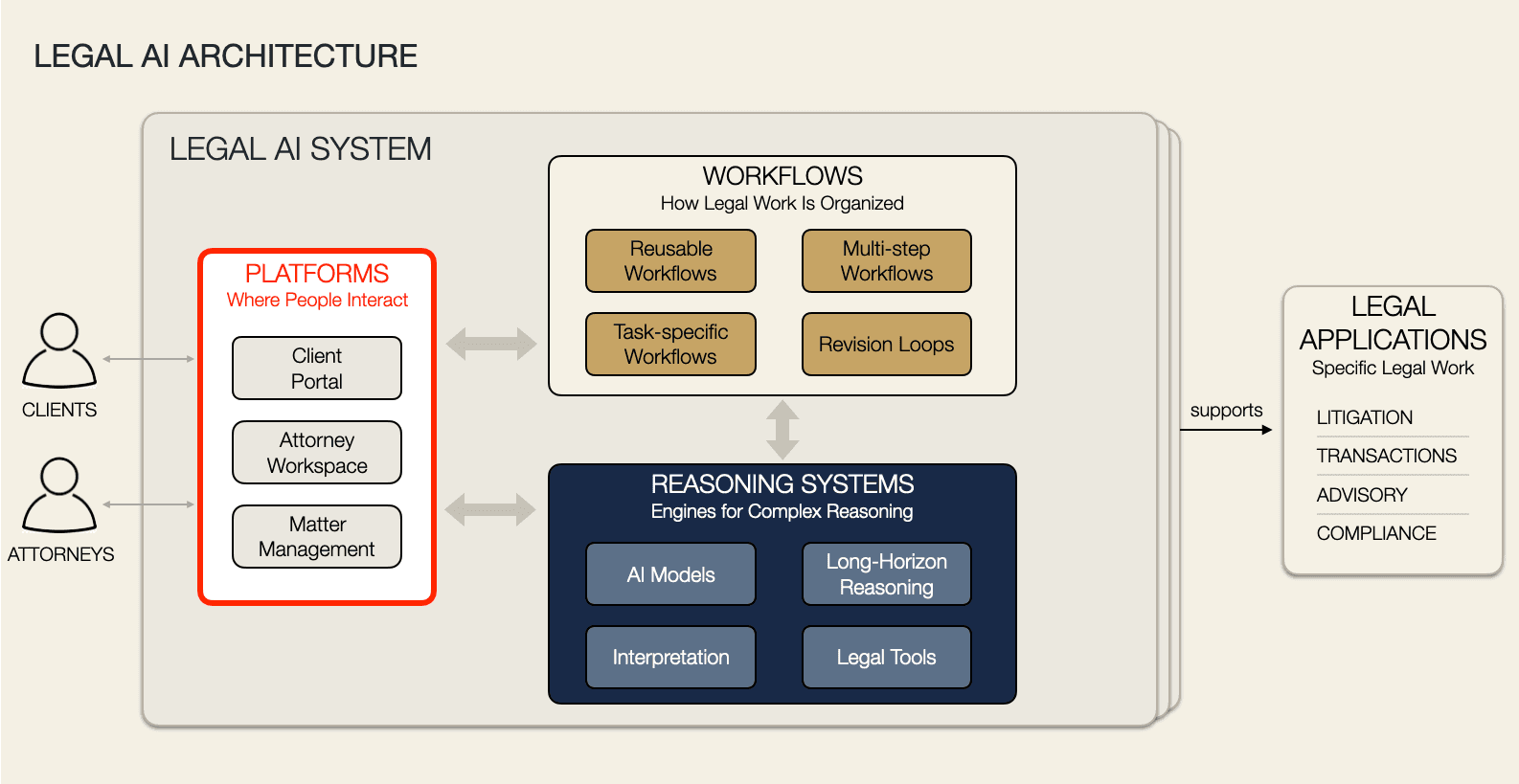
The Platform as a Foundation
Platforms are the user-facing interfaces for AI-assisted legal work.
01 · The Platform
A working environment for structured legal work.
The platform provides a user interface where a client can submit legal work and an attorney can run AI workflows, review work products, and guide the work through to completion.
Individual legal workflows can use these components differently depending on the task. Attorney review can send work back for additional AI analysis and revision before the final work product is delivered.
02 · Platform Components
How is the platform organized?
Client Portal · Attorney Workspace · Workflow / AI Agent Orchestration · Work Product Registry · Attorney Review & Approval
Illustrative interface. Fictional matter data; no real client information shown.
Figure 1 · Client Portal
Client intake and matter interaction.
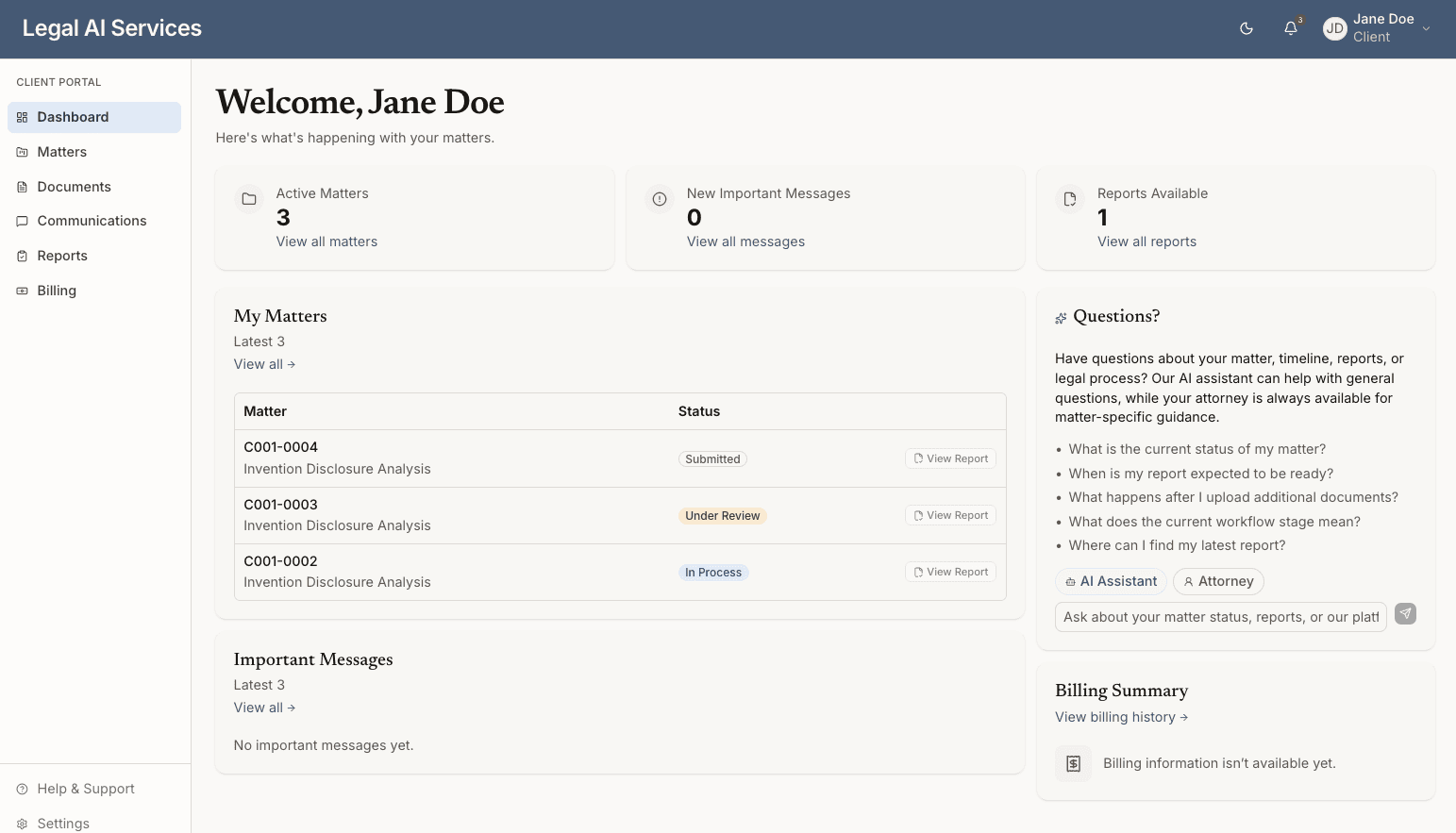
Figure 2 · Attorney Workspace
Where attorneys manage matters, AI agents, work products, reviews, and communications.
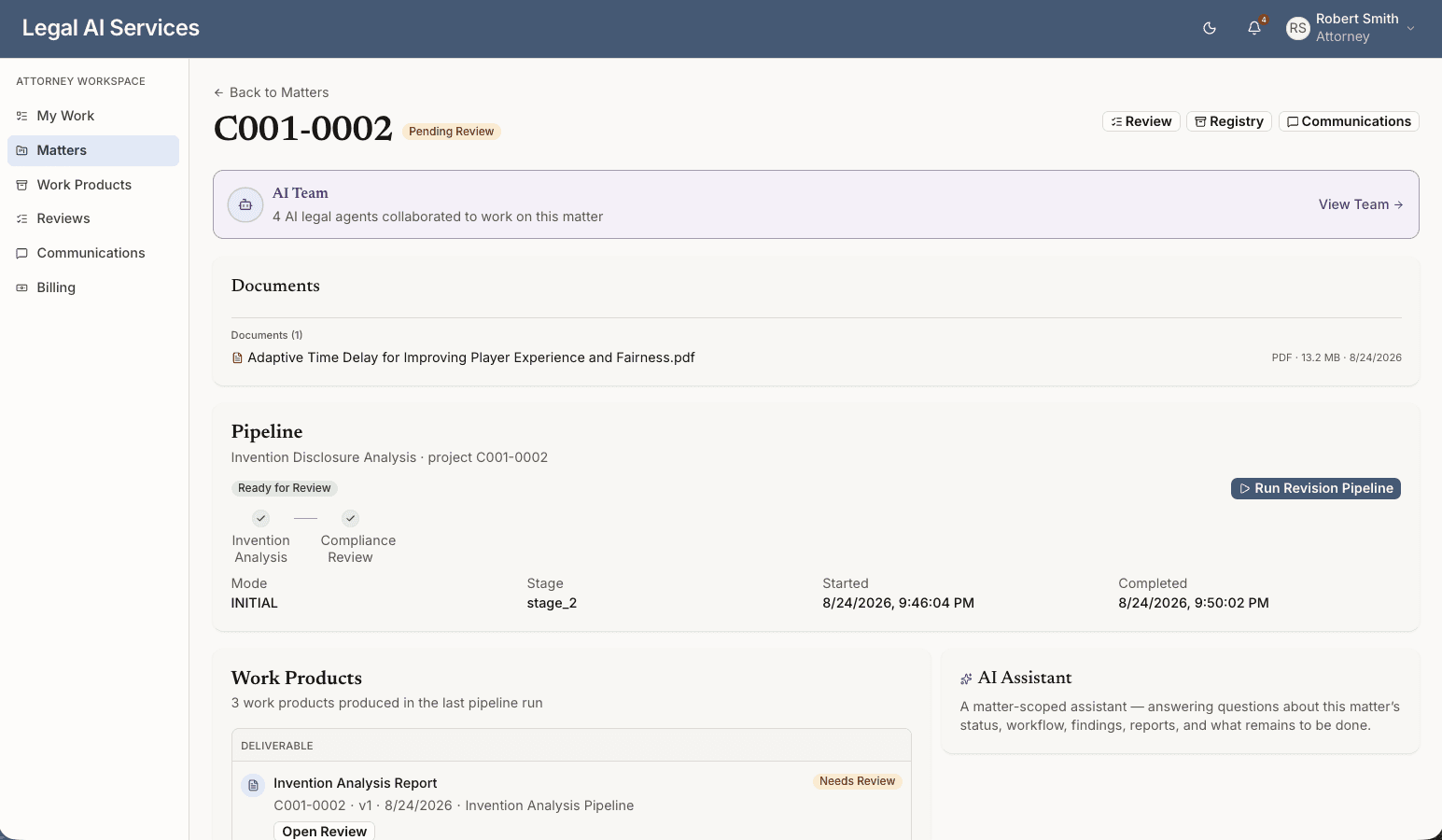
Figure 3 · Workflow / AI Agent Orchestration
AI Team + Pipeline Orchestration: executing structured legal workflows.
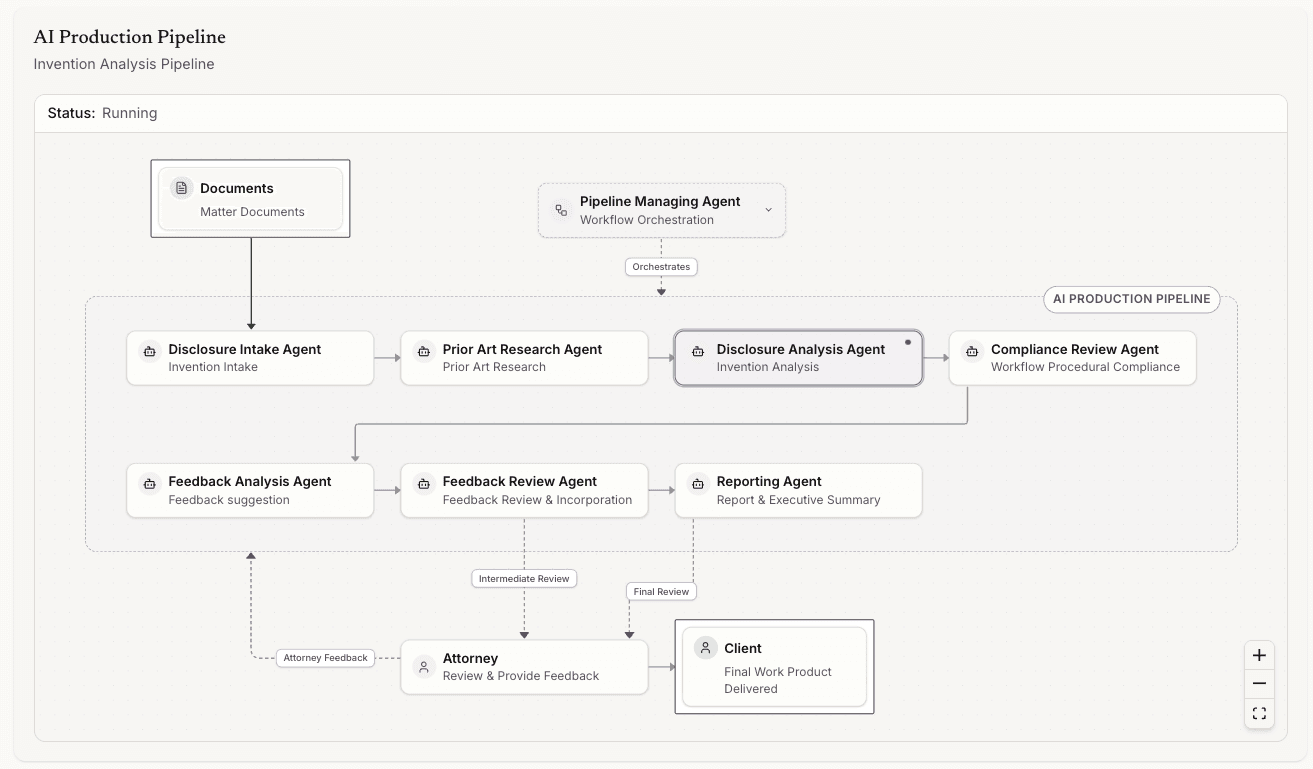
Figure 4 · Work Product Registry
Structured storage and tracking of intermediate and final AI work products.
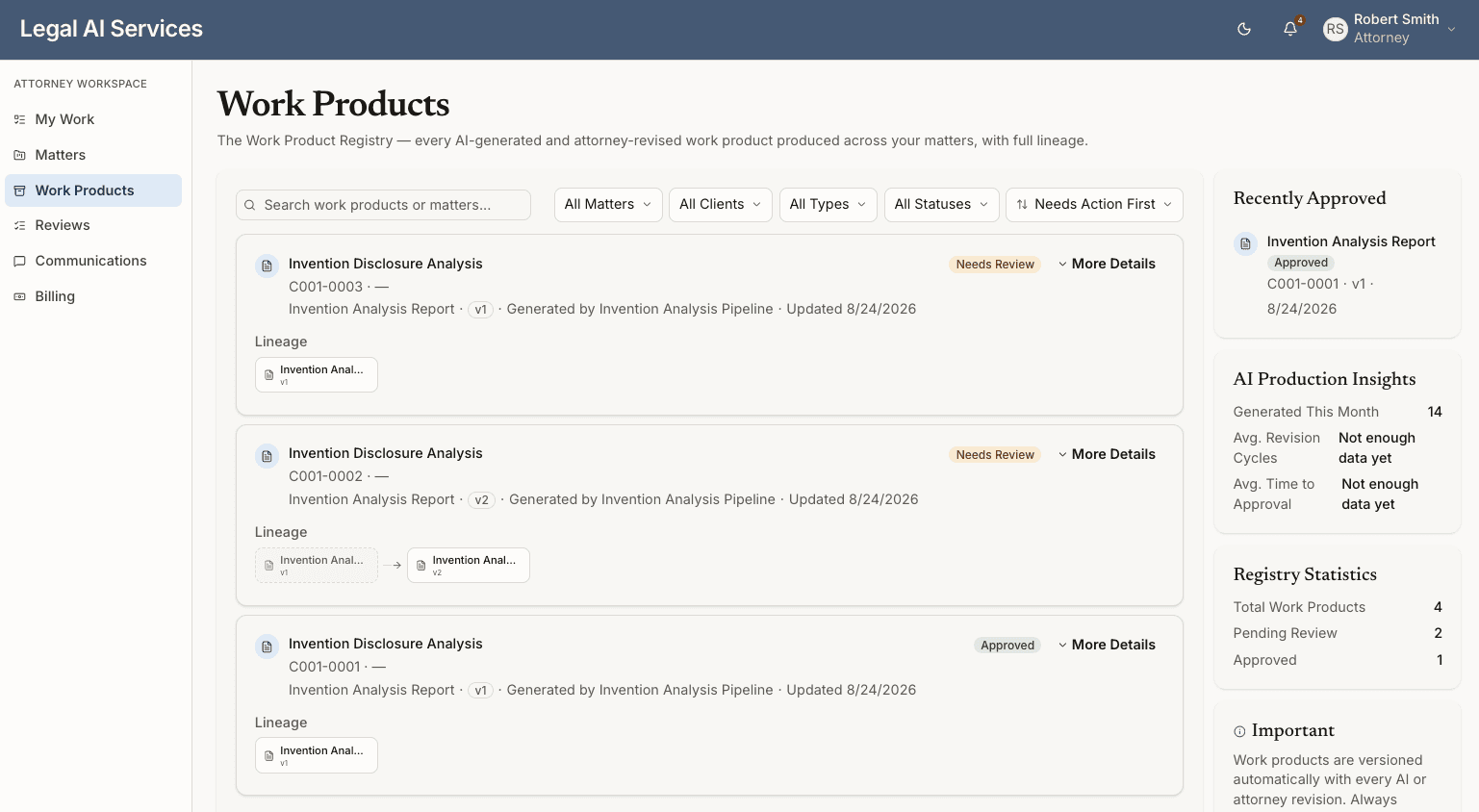
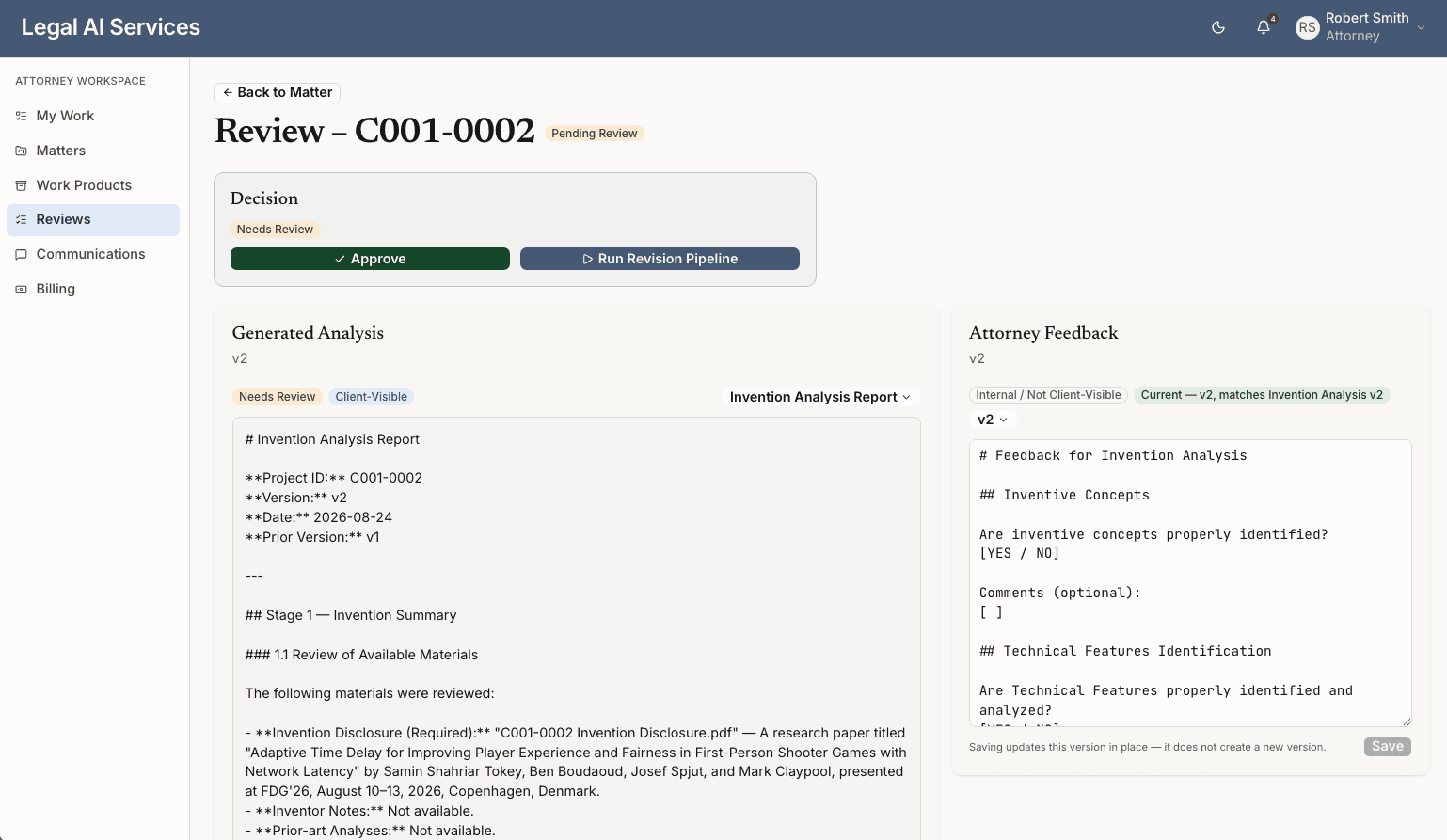
Figure 5 · Attorney Review & Approval
Attorney-in-the-Loop: approve work product or submit a revision.
03 · Key Considerations
- 01
Matter-Centered Workspace
Keep client matters, documents, workflows, AI activities, and work products organized in one place.
- 02
Workflow Orchestration & Specialized AI
Execute multi-stage legal workflows, coordinating AI specialists for different stages of analysis.
- 03
Attorney-in-the-Loop
Integrate attorney review, feedback, and revision throughout the workflow.
- 04
Work Product Management
Track intermediate and final work products, reviews, and revisions.